 Niwas Khata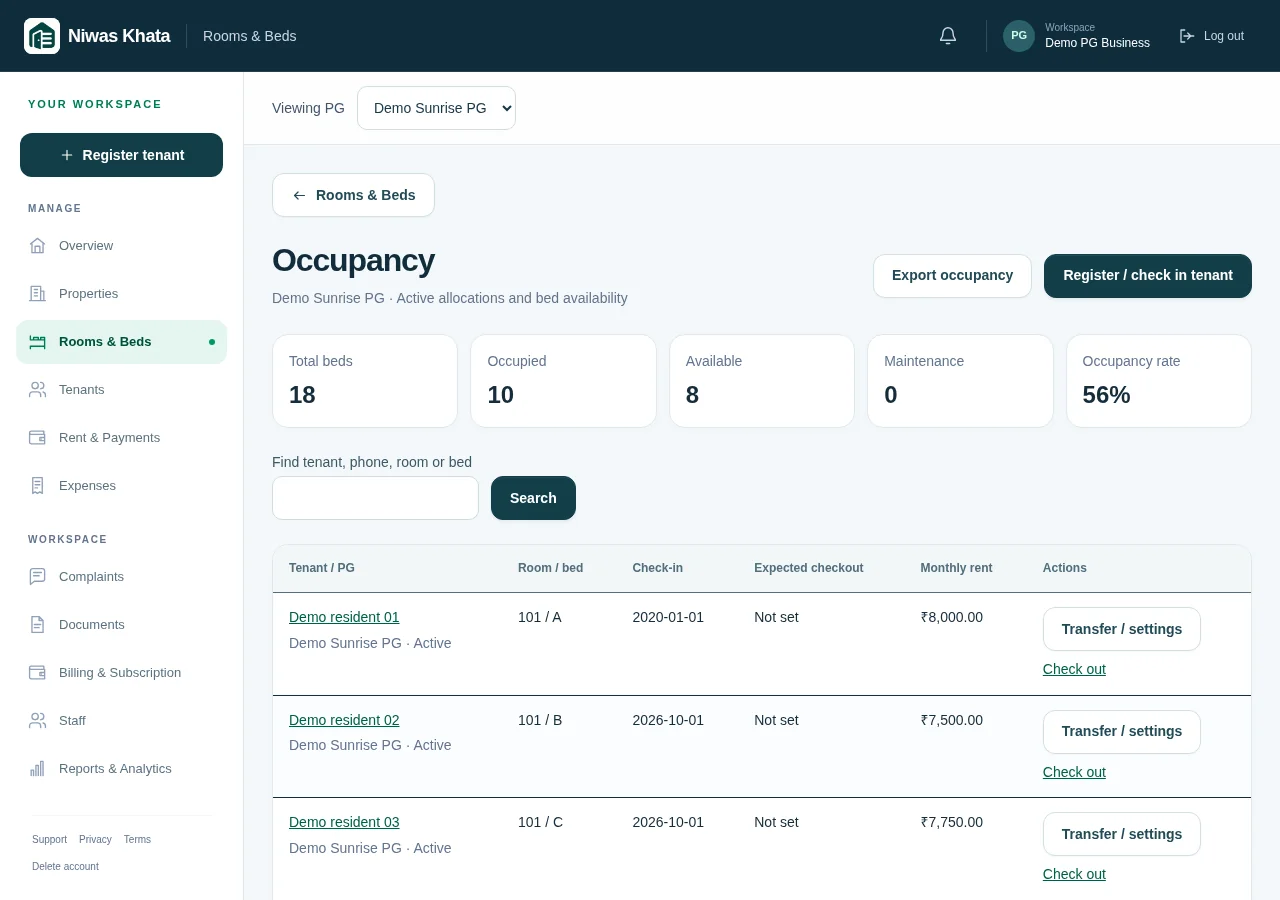
Use an inventory that matches the building
Before entering residents, walk through the property and make a room-and-bed list that reflects what is actually let. A room number identifies the room; a bed label identifies the individual space within it. Keeping those levels separate prevents a common problem: treating a whole room as available when just one bed is vacant.
Use stable labels that your staff and residents can understand. Reusing one label for several spaces makes transfers and maintenance conversations harder. If two properties both have Room 101, the property must remain part of the context.
- List each PG before its rooms.
- Give every allocatable bed a distinct label within its room.
- Check physical capacity against the inventory you enter.
Define available, occupied and maintenance clearly
A physically empty bed is not necessarily ready to allocate. It may need repairs, cleaning or another check before someone moves in. Record that distinction so staff do not promise a space that cannot be used yet. Occupied beds should be connected to the current tenant, not just a hand-typed name in a notes field.
When reviewing an occupancy percentage, check what the report counts. Current capacity is a different question from historical occupancy for a previous financial month. Niwas Khata’s dashboard labels current occupancy separately from the selected financial month so those views are not mistaken for the same measure.
- Review maintenance status before making an allocation.
- Check the active tenant associated with an occupied bed.
- Do not infer historical occupancy from today’s bed count.
Bring existing residents in without a false check-in
If you are moving from paper records, reconcile today’s residents against today’s occupied spaces. Enter original joining dates and agreed rent from records you can support. Use the existing-resident option rather than creating a new arrival date for everyone on the day you start using software.
Collect only the personal information needed for your stated purposes and legal obligations. Explain how you use it and restrict staff access appropriately. A stored ID document or manually entered police-verification status is a record, not proof that the platform independently verified the person.
- Check names and contact details with existing records.
- Keep the original stay date when known.
- Separate uncertain historical financial figures from verified transactions.
Move the allocation instead of duplicating the resident
When a resident changes rooms, creating a second active tenant can make both beds look occupied and split their financial history. Use the supported transfer process, confirm the destination bed and review any agreed future rent change. A room move should leave a clear trail of what changed and when.
For a resident whose old record has no bed assignment, allocate the existing resident through the supported occupancy workflow instead of registering them again. Check the result in both the tenant profile and the bed list.
- Confirm the destination belongs to the intended property.
- Check availability immediately before saving.
- Review the resulting allocation rather than assuming the move succeeded.
Close the stay and reconcile its obligations
At checkout, record the actual end of the stay and review outstanding rent, deposit deductions and any refund you arrange. Do not mark a refund as money transferred just because the software records the decision. Confirm the bank or cash movement separately and preserve the reference.
Once the resident leaves, release the allocation and decide whether the bed is ready or needs maintenance. A brief daily review of transfers, checkouts and maintenance changes is easier than reconstructing the building’s history at the end of the month. The Rooms & Beds and Occupancy pages are designed to keep these operational questions connected.
- Confirm financial records before completing settlement.
- Review the released bed’s readiness.
- Keep closed-stay history instead of overwriting it with the next resident.
Explore the working features and trial and subscription details. These guides explain operating routines, not individualized legal, tax or financial advice.