 Niwas Khata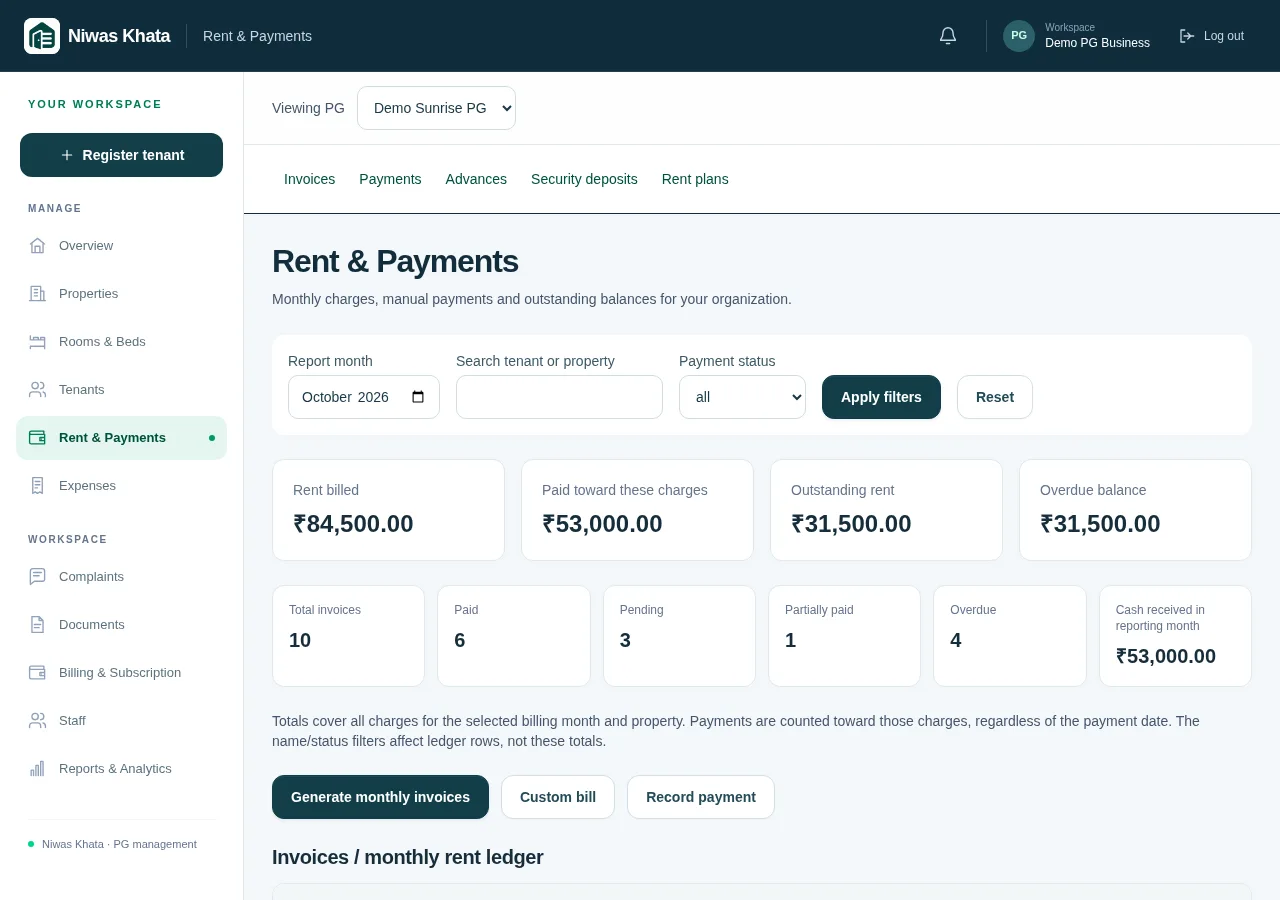
Start with the agreement, not the payment message
A message saying ‘rent paid’ is not a complete rent record. You still need to know who paid, which period it covers, how much was due and whether the money actually arrived. Begin with a consistent tenant record: property, room or bed, joining date, agreed rent and due day. If someone has lived in your PG for a while, use their real agreement rather than treating the software setup date as their check-in date.
A rent plan can make future billing more consistent, but it should reflect what you and the resident agreed. Check the monthly amount, billing cycle and recurring charges before assigning a plan. A new agreement should not silently rewrite an invoice already issued.
- Confirm the tenant and their active bed assignment.
- Record the agreed due day and billing period.
- Keep agreed deposits separate from proof of money received.
Issue a bill that explains the amount
Generate the intended period’s invoice and review its charges. If there is an agreed extra charge, give it a clear name instead of hiding it inside a larger rent figure. A resident should be able to understand what is rent, what is a utility charge and what remains payable.
Avoid creating a second entry for a charge already posted by another workflow. For example, if an approved meter reading has been added to the invoice, entering the same amount as a custom charge would overstate the dues. Review the existing invoice and its history before adding another line.
- Check the period, due date and tenant before issuing.
- Name custom charges in plain language.
- Keep corrections traceable instead of deleting the context.
Record partial payments against the right invoice
When someone pays part of the amount, record that amount rather than marking the entire month paid. A ₹6,000 bill with ₹4,000 recorded against it should leave ₹2,000 outstanding. Make sure the payment belongs to the intended tenant and bill before saving. Include a method and reference where available so the entry can be reconciled later.
Recording a bank or UPI payment in your PG ledger is not the same as making that transfer. Confirm the money in the actual bank, UPI or cash record. If you keep receipts, distinguish a payment receipt from an invoice: an invoice states what is owed; a receipt records money received or a specifically labelled allocation.
- Enter the amount actually received.
- Preserve the payment date and transaction reference.
- Review the remaining balance after saving.
Do not count the same cash twice
An advance received today and applied to next month’s rent later is one cash receipt, not two. Likewise, a security deposit is money held subject to the agreement; it should not automatically become rent income. Maintain separate ledgers for actual advances and deposits, and use a supported allocation when you apply a held balance to a bill.
This matters when reading the dashboard. Recorded cash flow can include advances, deposit receipts, refunds and paid expenses, while rent collection answers a narrower question. Neither view automatically replaces your accountant’s profit calculation or the bank statement.
- Separate agreed deposit amounts from actual collections.
- Record actual refunds and deductions with context.
- Treat a held-balance allocation as an allocation, not new cash.
Use a short reconciliation routine
Set a regular time to compare invoice balances with your real payment records. Review overdue charges and use the outstanding balance—not the original total—when preparing a reminder. Keep reminders factual and respectful, with the period, due date and a way for the resident to point out an error.
At month-end, export the relevant rent records and check unexplained differences before copying figures into another report. Niwas Khata’s existing rent, invoice and receipt tools support this workflow; current reminder and share actions are user-initiated, not automatic WhatsApp or SMS delivery.
- Review newly recorded payments and unpaid invoices.
- Resolve mismatched references before sending reminders.
- Export reports for your own reconciliation and accounting review.
Explore the working features and trial and subscription details. These guides explain operating routines, not individualized legal, tax or financial advice.