 Niwas Khata
Prepare for a change of residents without losing history
Before an intake or a run of checkouts, review the bed list and the residents attached to it. Mark spaces that need maintenance. When registering someone new, record their joining date, contact and emergency information, and agreed rent. If a resident has already been living in your PG, use the existing-resident option and their original date; do not create a false new check-in just to start using software.
- Keep historical residents and current allocations distinct.
- Confirm a bed is available before allocation.
- Review documents privately and collect only what you need for the stated purpose.
Make rent cycles explicit
A monthly amount and a billing cycle are different things. Niwas Khata’s rent plans support explicit cycle agreements, so review the rent, due day, cycle and any recurring charge before assigning a plan. A quarterly cycle bills the agreed number of months; it is not a promise that every tenant should pay quarterly. Changes to future terms should be agreed and recorded without silently rewriting old invoices.
- Review the plan with the resident before assigning it.
- Check the generated invoice for the intended period.
- Keep partial payments allocated so the remaining balance is clear.
Keep handovers between owner and staff consistent
When a manager records a repair or discusses a room change, the owner needs enough context to review it. Use expense descriptions and role-based access rather than passing account passwords around. Before approving expenses or arranging checkout, check the relevant tenant, property and financial history. A short daily review is easier to maintain than reconstructing all changes at month-end.
- Give team members their own assigned access.
- Review pending expenses before marking money as spent.
- Use the same property context when discussing allocations and costs.
A workflow you can see before signing up
Use the same tenant, room, invoice and expense features shown in the actual product. The screenshot below uses fictional records; it does not represent a customer property in Pune.
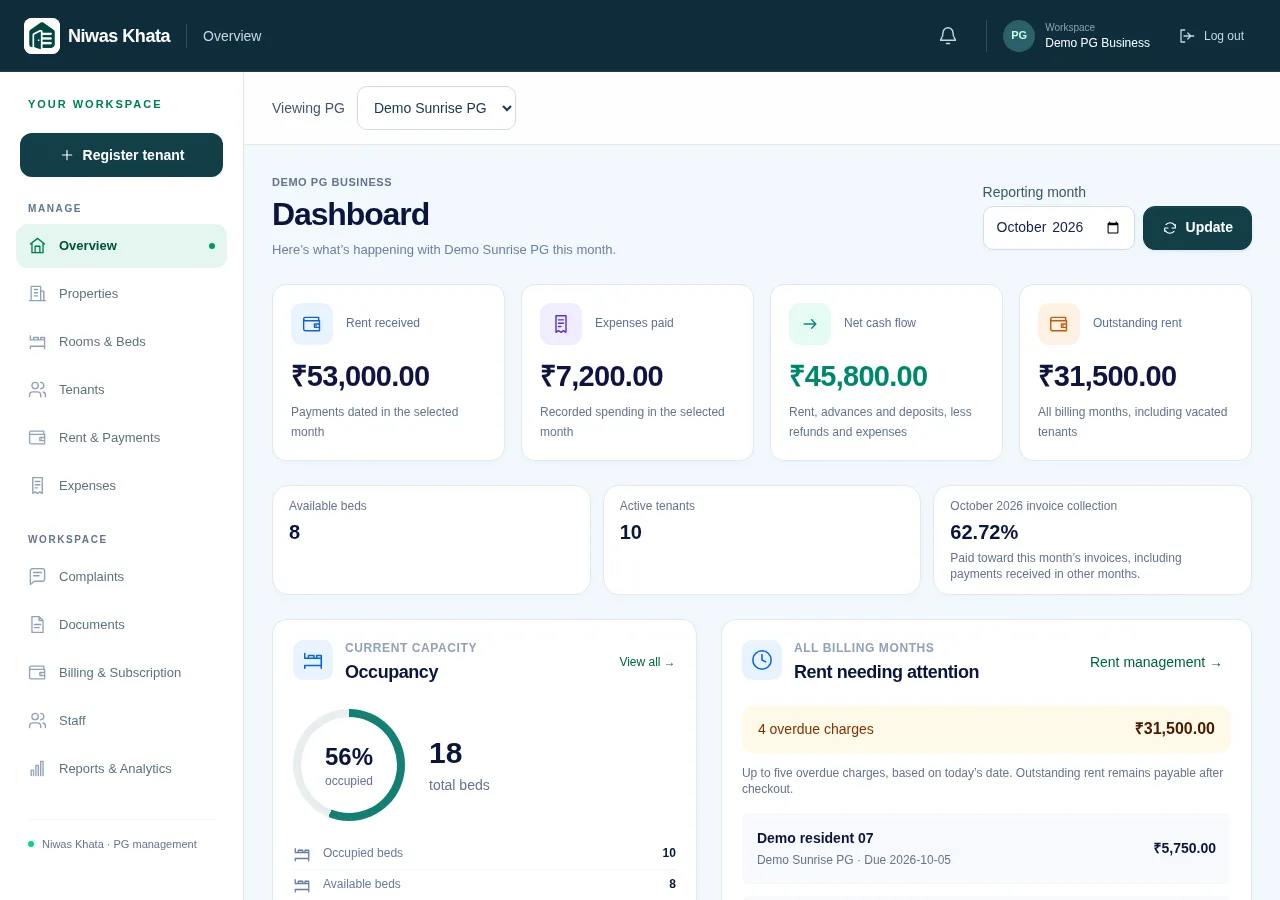
Explore the full feature set or read pricing and trial details.